
If you cannot proceed to payment when placing an order, first check whether all mandatory fields are filled in and the delivery and payment method are fully selected. Sometimes marking only the general option is not enough. Online shops apparently love little puzzles of radio buttons and tick boxes.
1. Check the buyer details
Make sure that all fields marked with an asterisk (*) are filled in:
- first and last name;
- address;
- country and city;
- postcode;
- mobile phone number;
- email address.
Check that the fields contain no extra spaces and that the phone number has been entered correctly.
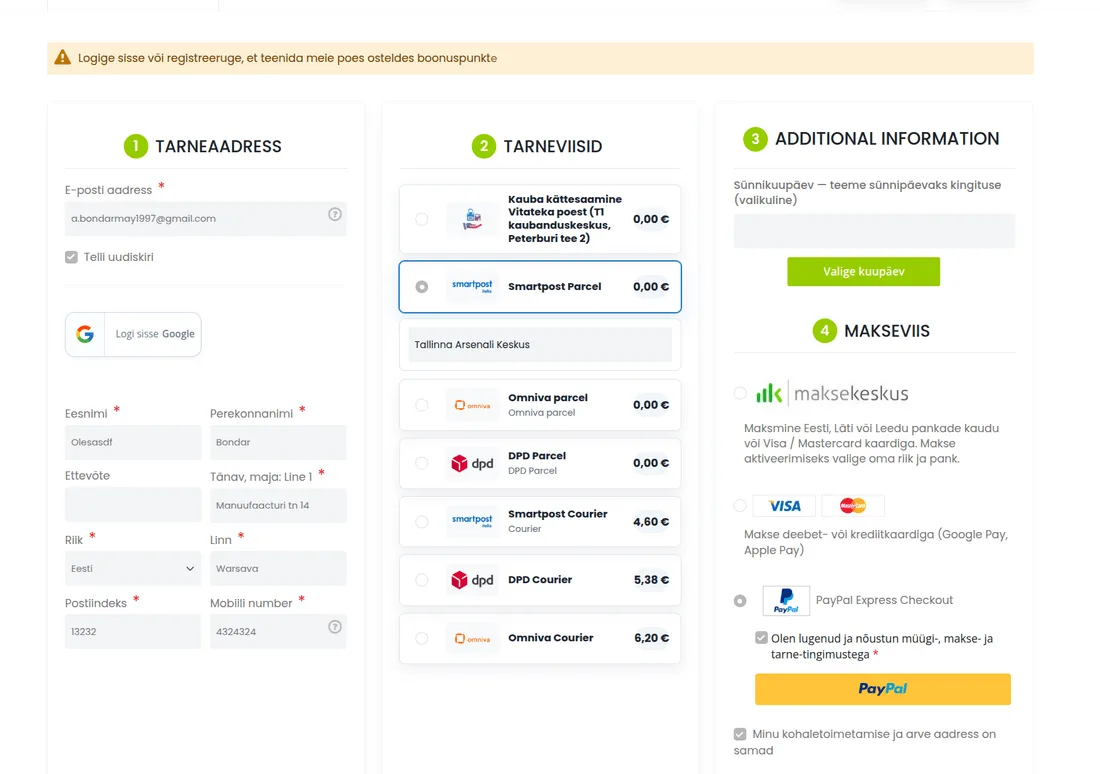
2. Check the delivery method
If you choose delivery to a parcel locker, marking just Smartpost, Omniva or DPD is not enough. Open the selection field that appears and also choose the specific parcel locker.
If no parcel locker is selected, the system cannot complete the order.
3. Choose a specific payment method
Paying via Maksekeskus
First select Maksekeskus and then the icon of a specific bank, for example Swedbank, SEB, LHV, Luminor or another available bank. If only the general Maksekeskus payment method is selected but no bank has been specified, the redirect to payment may not happen.
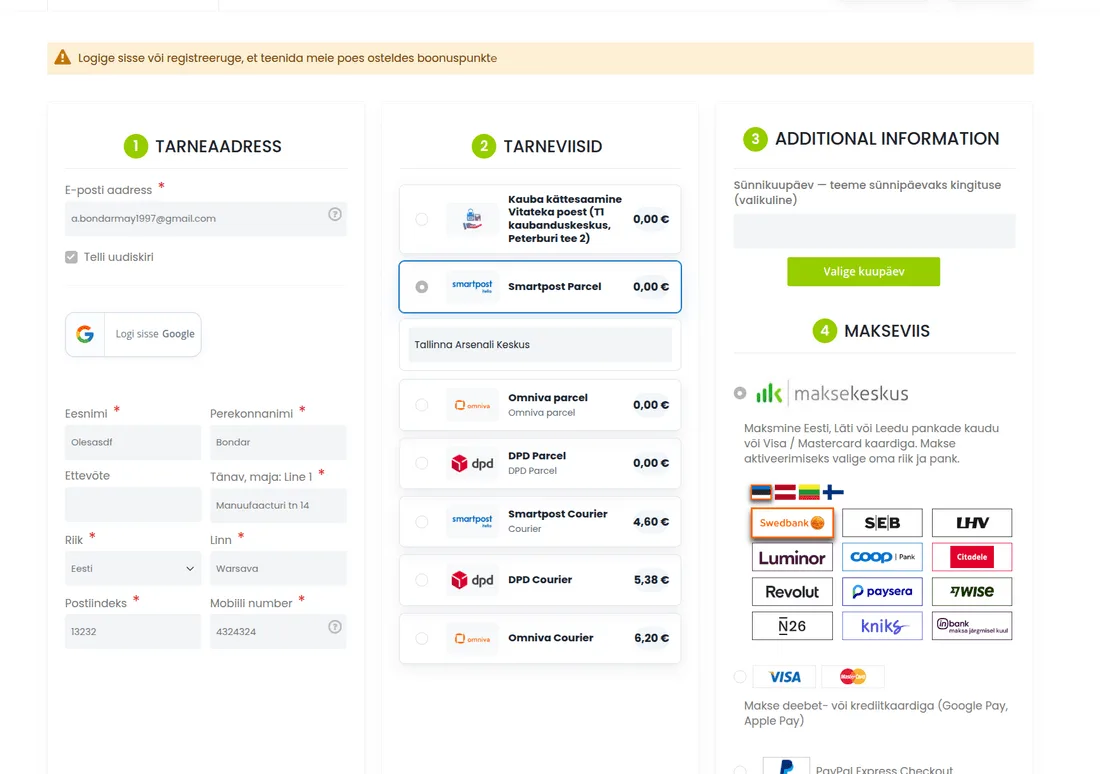
Card payment
Choose payment by debit or credit card and then a specific option: Visa, Mastercard, Apple Pay or Google Pay. Make sure a mark indicating the selection appears next to the chosen option.
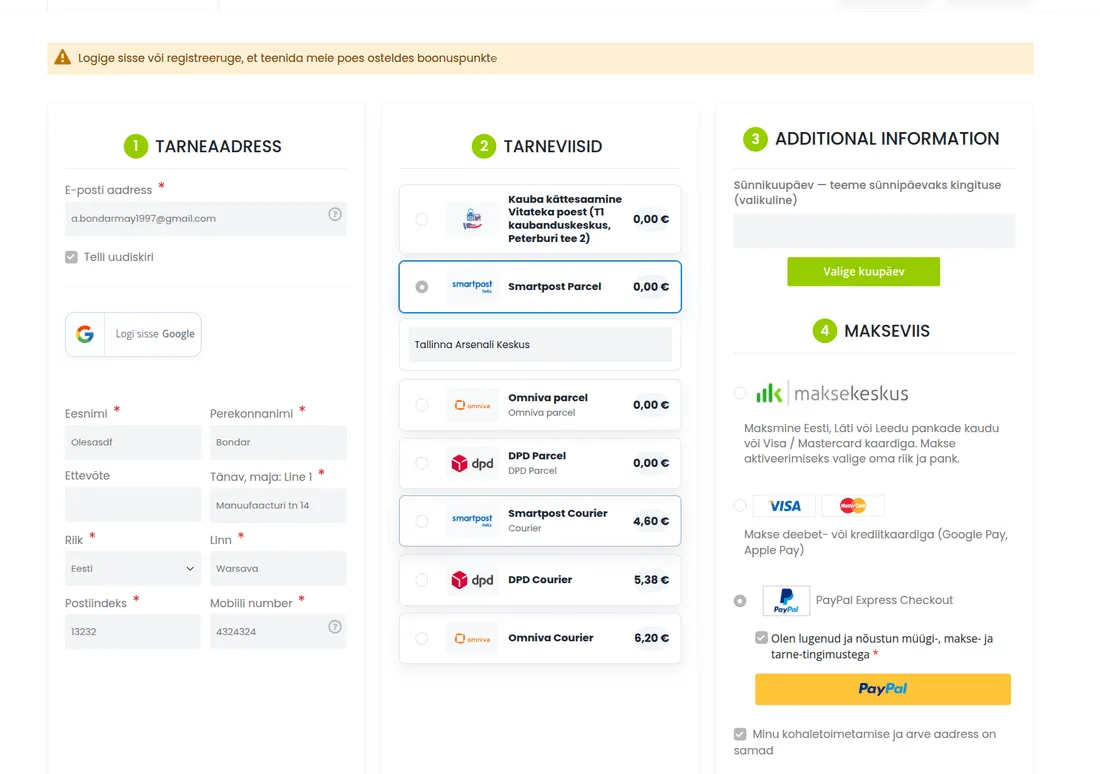
4. Confirm your agreement and place the order
Before completing the order, tick the box “I have read and agree to the terms of sale, payment and delivery” and press the “Place order” button.
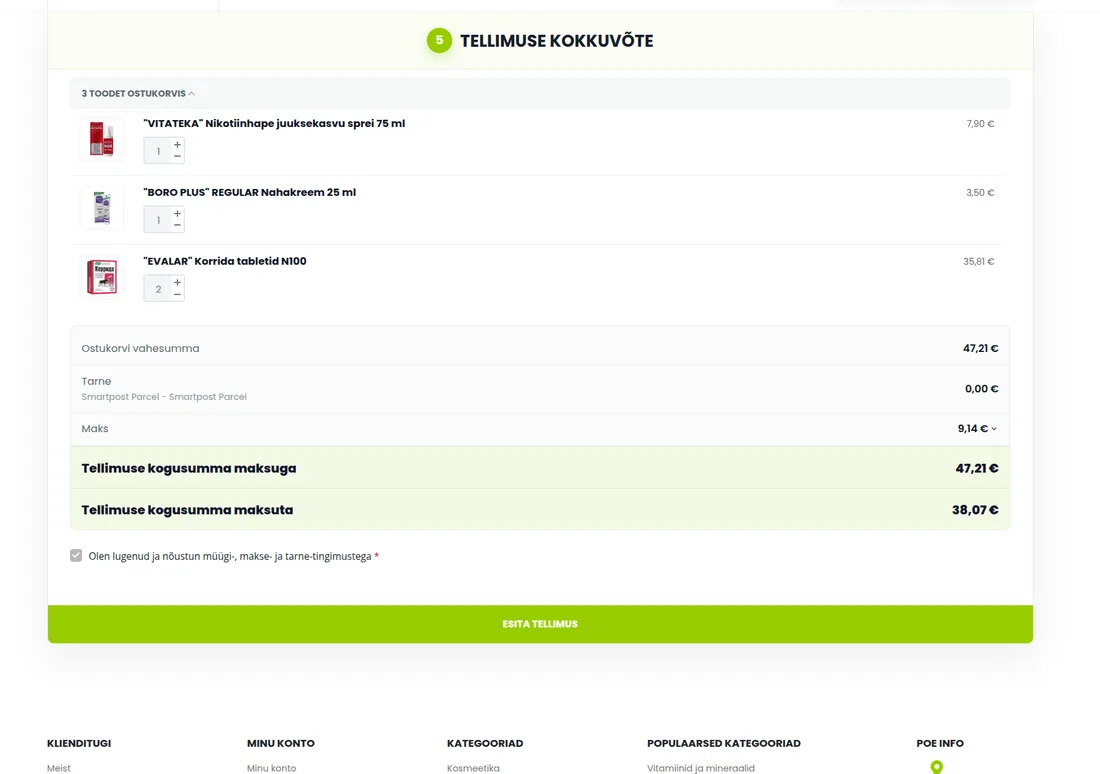
5. If payment fails already on the bank's page
Check the following:
- there is enough money in the bank account or on the card to pay;
- online payments are enabled on the card;
- the daily or monthly limit for online payments has not been exceeded;
- the card is not blocked and has not expired;
- confirmation of the payment in the banking app or via 3D Secure was completed.
If the bank rejects the payment or does not show the reason for the refusal, contact your bank's customer support. Only the bank can see the exact reason for the rejection.
6. If nothing helped
Contact us via the website chat, email or phone. We will check the order and, if necessary, provide bank details for a direct transfer.
Important
If you make repeated checkout attempts, several order entries may appear in the customer account. This is normal: each attempt may create a separate entry. If the payment has already been made successfully, any automatic payment reminders can be ignored.