

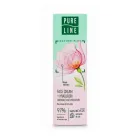
Karelia organica organic moroshka moisturizing bio-cream for the face 50ml fratti
In stock now — similar products


Warehouse availability
- SKU:
- 100000009333
- EAN:
- 4620012092761
Not sure what to choose?
Write to us in the chat - we help you pick the right product in plain words.
- We explain the differences
- We help you choose
- We explain delivery
What it is
Karelia Organica Organic Moroshka Moisturising Bio Face Cream 50 ml is a face cream for skin that needs more moisture, softness and protection from dryness caused by weather, indoor heating or a tired-looking complexion. People usually choose this type of product when the skin:
- starts to feel tight after washing
- looks dull
- loses its smooth, supple feel during the colder season
How it works
The key idea of this cream is cloudberry, also known as moroshka, a northern berry valued in Nordic skin formulas. Cloudberry is naturally rich in vitamins and antioxidant compounds. In skincare, these components help reduce the impact of external stress factors that can leave the skin looking rough and lacklustre. A moisturising cream does not simply sit on the surface: it helps bind water in the upper layers of the skin and forms a light protective veil that slows down moisture loss. This is especially useful when the skin barrier feels weakened and the face reacts more easily to wind or dry air.
When to use it
As a bio face cream, this product is suited to people who prefer gentler facial skincare with plant-based ingredients and a softer texture for regular use. It fits well:
- as a morning or evening step after cleansing, especially for normal, dry or dehydrated skin
- as a simple cream under makeup
- when your usual regimen needs a more nourishing option during seasonal changes
Important notes
- If your skin is very reactive, it is sensible to patch test first.
- Avoid the eye area unless the product is specifically intended for it.
- If you use strong acids, retinoids or other highly active cosmetics, introduce a new cream gradually so you can see how your skin responds.
Specifications
| Brand | Karelia Organica |
|---|---|
| Product type | Cream |
| Application area | Face |
| Cosmetic concern | Dryness/dehydration |
| Action / Effect | Moisturising |
| Formulation features | Organic (certified) |
Delivery - terms and prices
After placing an order, delivery is processed on business days. Package design and product images may differ. We dispatch orders within 1–2 working days. Transit time depends on the carrier: within Estonia and to Finland usually up to 3 days, to Latvia 3–4 days, to Lithuania 4–5 days, to Poland up to 7 days. Omniva International Post shows its own lead time for each service.
- Pick-up at the Vitateka store (T1, Peterburi tee 2, Tallinn)Free
- Smartpost parcel locker2.15 €
- DPD parcel locker2.19 €
- Omniva parcel locker2.88 €
- Smartpost courier4.60 €
- DPD courier5.38 €
- Omniva courier6.20 €
- DPD parcel locker3.79 €
- Omniva parcel locker4.50 €
- DPD courier5.13 €
- Omniva courier6.05 €
- Unisend (LP Express) parcel locker2.31 €
- DPD parcel locker3.79 €
- Omniva parcel locker4.55 €
- DPD courier5.13 €
- Omniva courier6.05 €
- Posti FI parcel locker / pick-up point6.17 €
- Omniva International Post - Economy (up to 2 kg, 4–8 days)from 7.22 €
- Omniva International Post - Standard (up to 30 kg, 3–6 days)from 7.89 €
- Packeta courier to your door5.01 €
- Omniva International Post - Economy (up to 2 kg, 7–9 days)from 6.74 €
- Omniva International Post - Standard (up to 30 kg, 6–8 days)from 7.60 €
- Czech Republic - pick-up point (PUDO)from 3.93 €
- Czech Republic - courierfrom 6.10 €
- Slovakia - pick-up point (PUDO)from 3.80 €
- Slovakia - courierfrom 5.87 €
- Hungary - pick-up point (PUDO)from 4.13 €
- Hungary - courierfrom 7.42 €
- Romania - pick-up point (PUDO)from 3.61 €
Omniva International Post - the price depends on the country and the parcel weight. See the full price table on our Delivery page.
In addition to the thresholds listed above, we can consider free delivery options depending on the order amount and for deliveries to other countries. Contact us and we will suggest the best option.
Email: [email protected]
Chat: message us in the chat
Dispatch 1–2 working days; in transit: Estonia and Finland up to 3 days, Latvia 3–4 days, Lithuania 4–5 days, Poland up to 7 days.
No reviews yet
Be the first to share your experience.
Customer Questions
This bio face cream is designed to fit seamlessly into a daily routine, including as a preparatory step before applying cosmetics. The formulation provides a light protective veil that helps bind water in the upper layers of the skin without leaving a heavy or greasy residue that might interfere with foundation or powder application. For best results, apply the cream after cleansing and allow it a moment to absorb into the skin. This ensures that the surface is hydrated and smoothed, creating an even canvas for makeup while maintaining the skin's natural moisture balance throughout the day. It is particularly useful for those with normal, dry, or dehydrated skin who need hydration that supports rather than disrupts their cosmetic routine.
The key ingredient in this cream is cloudberry, also known as moroshka, a northern berry valued in Nordic skincare for its natural composition. It is rich in vitamins and antioxidant compounds, which play a crucial role in protecting the skin from external stress factors such as wind, cold air, and indoor heating. These environmental elements can often leave the skin looking rough, dull, and lacking in vitality. By incorporating cloudberry extract, the cream helps mitigate these effects, supporting the skin's natural resilience. The antioxidants assist in maintaining the skin's smooth and supple feel, while the moisturizing properties help prevent tightness and dryness, ensuring the complexion remains fresh and hydrated even in challenging seasonal conditions.
If you have very reactive or sensitive skin, it is sensible to perform a patch test before incorporating this cream into your full routine. Although the product is formulated with plant-based ingredients and is intended to be gentle, individual skin responses can vary. Apply a small amount of the cream to a discreet area, such as behind the ear or on the inner forearm, and monitor for any signs of irritation over 24 hours. Additionally, if you are currently using strong active ingredients like acids or retinoids, introduce this new cream gradually. This allows you to observe how your skin responds to the combination of products and ensures that the moisturizing benefits do not trigger any adverse reactions. Always avoid the eye area unless the product is specifically indicated for that use.
Added to your cart

How to install the app Open the shop in your browser
- 1 Tap the page menu next to the address bar, then “Share” If the share button is already in the Safari toolbar, tap it straight away.
- 2 Scroll down and choose “Add to Home Screen”
- 3 Leave “Open as Web App” switched on and tap “Add”.
On iPhone and iPad this is the only way: Apple does not let any website install an app by itself.
- 1 Tap the share button in the Safari toolbar
- 2 Scroll down and choose “Add to Home Screen”
- 3 Confirm with “Add” — the app lands on your home screen.
On iPhone and iPad this is the only way: Apple does not let any website install an app by itself.
- 1 Tap the share button in the address bar (in Firefox: open the menu, then “Share”)
- 2 Scroll down and choose “Add to Home Screen”
- 3 Confirm with “Add” — the app lands on your home screen.
No such item in your browser? Open the shop in Safari and add it from there.
This page is open inside another app (Facebook, Instagram, Google…), and nothing can be installed from there. Open the shop in Safari: choose “Open in browser” in that app’s menu, or copy the link and paste it into Safari.
This page is open inside another app (Facebook, Instagram, Google…), and nothing can be installed from there. Open the shop in Chrome: choose “Open in browser” in that app’s menu, or copy the link and paste it into Chrome.
Link copied — paste it into the address bar of your browser.
Could not copy automatically — press and hold the link below to copy it.
Open the browser menu (the three dots) and choose “Install app”.
Click the install icon in the address bar, or open the browser menu and choose “Install Vitateka”.
Open the browser menu and choose “Install app” or “Add to Home Screen”.